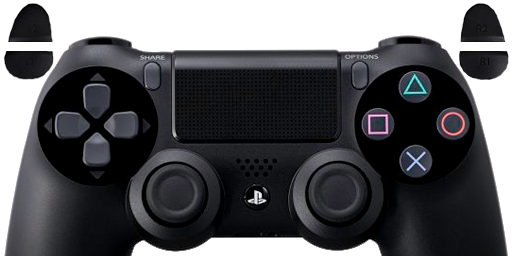
The DualShock 4 is, without equal, the best traditional-style controller I've ever used, and it's my main PC controller now. I hope someone can use this!

 .
.
Niiiccceee. I will use this. it looks greatExistentialEgg wrote:
A minimal design for the Dualshock 4.


Just open the downloaded image with the Photos app, press CTRL+C, and then paste into Xpadder.Steffe29 wrote:Hi folks!
I can't use this... When I rightclick on the image it doesn't show a "copy" option. It just give me the option to save the picture, download it to my hard drive or copy the link to the picture.
None of these work on xpadder when I click "paste"
Is it because I use google chrome? I have removed edge from my start meny and now I can't get edge to work again even if I click on the exe file in my file manager and it doesn't help if I add it to my start meny again. Nothing happens when I click on edge even if I try to run it as a administrator
Thanks for the quick reply but it doesn't work.Mobeeuz wrote:Just open the downloaded image with the Photos app, press CTRL+C, and then paste into Xpadder.Steffe29 wrote:Hi folks!
I can't use this... When I rightclick on the image it doesn't show a "copy" option. It just give me the option to save the picture, download it to my hard drive or copy the link to the picture.
None of these work on xpadder when I click "paste"
Is it because I use google chrome? I have removed edge from my start meny and now I can't get edge to work again even if I click on the exe file in my file manager and it doesn't help if I add it to my start meny again. Nothing happens when I click on edge even if I try to run it as a administrator
You are pasting in the wrong place.Steffe29 wrote:Thanks for the quick reply but it doesn't work.
When I click paste in xpadder it just says:
Clipboard does not contain text data
Copy only the text needed and paste again.
How do I fix this?

